

Sync Schedules
Propexo offers three options for syncing data from your PMS to Propexo:
- Standard Schedule
- Custom Schedule
- On-Demand
Standard Schedule
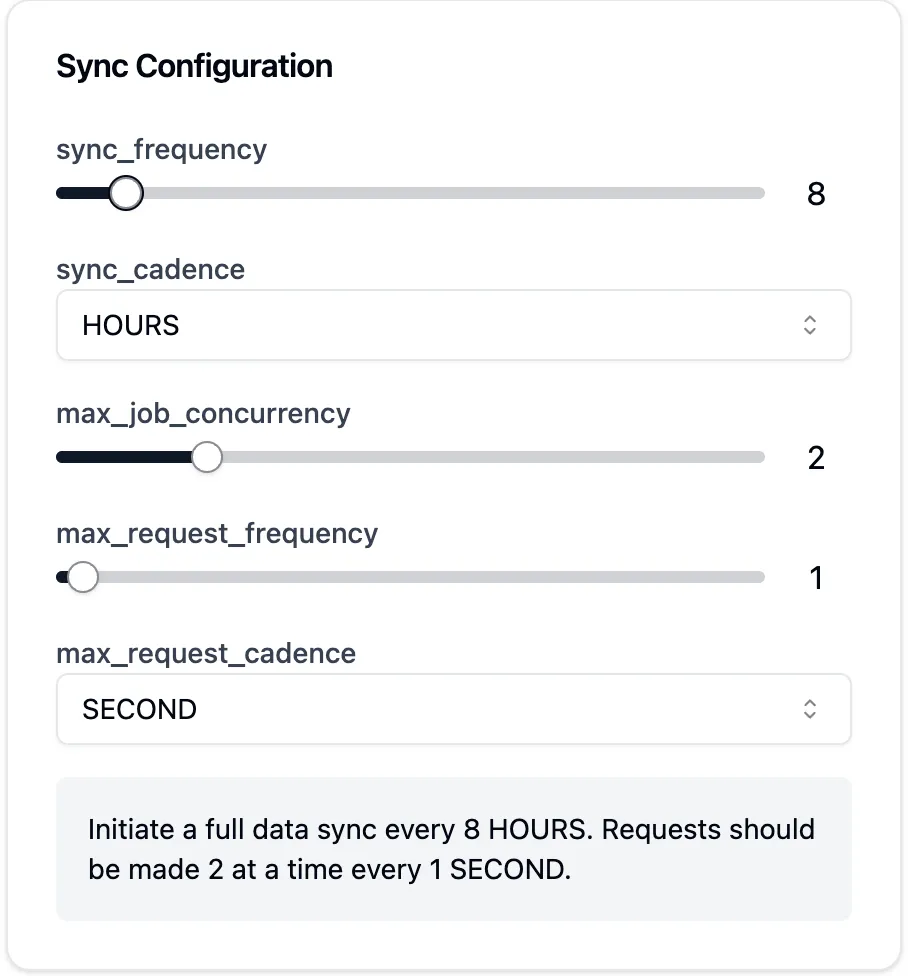
The Standard Schedule is a pre-set schedule that is designed to sync data from your PMS to Propexo at a regular interval. The default standard schedule is once every 24 hours. You can change the standard schedule by clicking the “Edit” button in the “Schedule” section of the “Integration Details” page.
Use this sample configurator to better understand how the variables (available in the UI or the Propexo API) work together.
Custom Schedule
You can set a custom schedule to sync data from your PMS to Propexo on a custom interval. For example, you can set up syncing every 20 minutes Monday through Friday from 9am to 5pm only. You can change the custom schedule by clicking the “View/Edit” button under “Requested Frequency” of the “Integration Details” page, then toggle the “Enable Custom Sync Schedule” button to set your desired configurations.
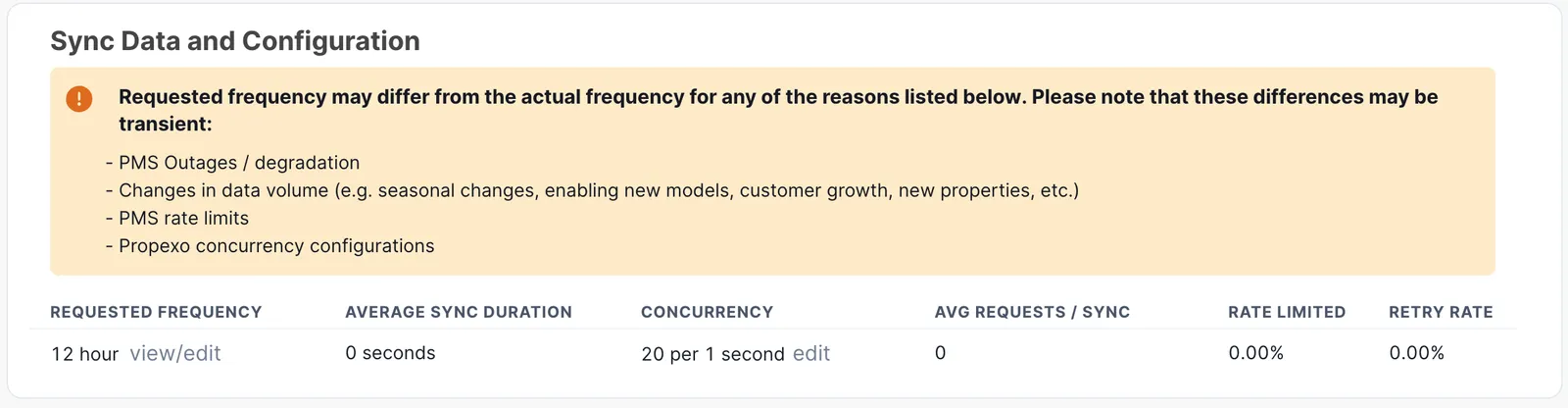
- For time ranges that are not defined, your sync will not run. For example, if you set the sync to run every 20 minutes from 9am to 5pm, but did not define any additional parameters, the sync will not run at all between the hours of 5:01pm and 8:59am the next day.
- Syncs will not run more frequently than back-to-back. Situations such as high PMS latency or simply high volumes of data may cause a sync to take more or less time depending on several factors. Use the “Integration Details” page to observe average sync times to ensure that you are meeting your business objectives. Reach out to Propexo support if you need help configuring your integration schedule parameters.
Optionally, you can set up custom schedules via the Propexo API.
On-Demand
Syncing On-Demand is simply forcing a sync to happen immediately. You can initiate an On-Demand sync by clicking the “Sync Now” button in the UI on the integration details page. Optionally, you can initiate an On-Demand sync via the Propexo API.